Showing posts with label kindle. Show all posts

Thursday, September 6, 2012

Amazon announces new Kindles: Paperwhite, Fire HDs

Today Amazon put to rest tantelizing whispers regarding new Kindles in the works. In a press conference, Jeff Bezos announced a new type of Kindle ereader and several new Fire tablet models. Here's the run-down:

Also included in the announcement were price drops: from $79 to $69 for the Kindle, 6" E Ink Display, Wi-Fi (also known as the Kindle Basic) and from $199 to $159 for the Kindle Fire 7", LCD Display, Wi-Fi, 8 GB (the original Kindle Fire).

Even though I'm drooling over some of the new Kindle Fire HD features, having the best reading environment is my priority. It's finally time to upgrade my Kindle Keyboard. Even though I will miss the easy keyboard access and the audio capabilities, I'm excited by the rest of the improvements in the Paperwhite.

Do you know anyone who wants a Like New white Kindle Keyboard 3G? Mine is for sale via Amazon, and I'll even throw in a cover and a free copy of Pink Snowbunnies in Hell: A Flash-Fiction Anthology. If you contact me after purchase, I will also keep your information and email you a free copy of Dormant after publication.

Friday, June 1, 2012

So many free Kindle books, so little time

I just discovered a new free Kindle book site (DailyFreeBooks.com) and have been happily purchasing books. It's hard to resist the $0.00 price point. When I'm not dipping into my wallet, it's worth downloading even the long shots. Hopefully a few of my bargain-priced finds will lead to the discovery of a new author.

Yes, I know that there are a lot of free Kindle book resources out there, including the Kindle Forum on Amazon where I have unearthed a few treasures. What I'm enjoying about this new researce is that I can narrow by genre and then see a list that includes the book cover, description, and rating. There is also a "Free on" date, which is helpful because books often aren't free for long.

DailyFreeBooks.com is the US version of a successful UK-based free books site. In a follow-up to the May 24, 2012 launch announcement, one of the site's senior members said that they strive to ensure that the site "reads as well as possible on the Kindle browser as a computer."* I pulled out my Kindle Keyboard 3G to check. The page does display well, and I was able to quickly navigate to the Writing category, but I was disappointed to find that clicking on a book link results in the error "Web Browser could not open this link because opening multiple windows is not supported." Oh well, at least it works on my computer or iPhone. I also noticed that one book pulled into the Writing category was actually not a writing book, but I'm sure the cross-over was because the author listed the Genre as "The Writing Network."

I'm familiar with working out kinks in a website, even after publication, so these quirks don't bother me at this stage in their launch. I look forward to seeing how they grow and improve.

For now, I have signed up for their daily email with "a summary list of new and current free eBooks from Amazon.com and Smashwords plus Kindle Daily Deal". I also selected two favorite genres for inclusion. My only fear is that this will increase my already long reading list. Maybe I'll catch up someday when my son is no longer a toddler. A girl can dream.

At the risk of adding to that list..... What is your favorite free ebooks resource?

Below is a short list of the free Kindle book sites I have visited. Please comment and I will update my list with new links.

* Correction - My source on the Amazon Kindle Forum clarified this point: "When I mentioned optimised for Kindle in a previous post, I was really referring to the our forum (KUF) itself rather than dailyfreebooks.com where there are definite improvements needing to be made as far as Kindle goes."

Friday, April 27, 2012

Kindle Accesories: Amazon lighted cover and JAVOedge flip case

It's about time that I returned to one of my favorite topics—my Kindle. In this post, I'm going to focus on Kindle keyboard cases. I currently own two.

My most-used case, but the second purchased for this Kindle iteration, is the JAVOedge MiMo Flip Case in Teal. Aesthetically, this case is beautiful in my favorite shade of teal. The synthetic, leather-like material is smooth and somewhat padded. Despite almost daily use since April 2011, the case shows only minor signs of wear at the top two corners. I even dropped my Kindle in this case (a heart-stopping moment) while listening to an Audible book on a walk. It protected my Kindle and survived unblemished.

Prior to this purchase, I insisted on book-style cases, but I have grown to love the flip format for the built-in stand. During lunch, it takes only the occasional tap to turn the page, which allows me to read comfortably while I eat. When not in use, the cover is held closed using hidden magnets.

JAVOedge MiMo Flip Case (Teal)
My Kindle slides securely into the pocket of my flip case and the combination of case plus Kindle isn't much heavier than the Kindle by itself. That said,  is easy to remove my Kindle for case-free reading when I'm somewhere safe, like home in bed. I can easily switch my Kindle to a waterproof case for reading in the bath. (More on that later.) I keep a few business cards in the cover pocket, both for identification, should I lose my Kindle, and to hand out.

I was able to dig up the above photo from February. I've learned to take better photos since (watch for an update on my Photosanity experience in a future blog post), but I didn't want to delay posting to take new photos. This at least shows the color fairly accurately. Click through the first link for additional photos.

This particular case is no longer available, but you can purchase many other colors and patterns of JAVOedge flip cases for Kindle and other e-readers.

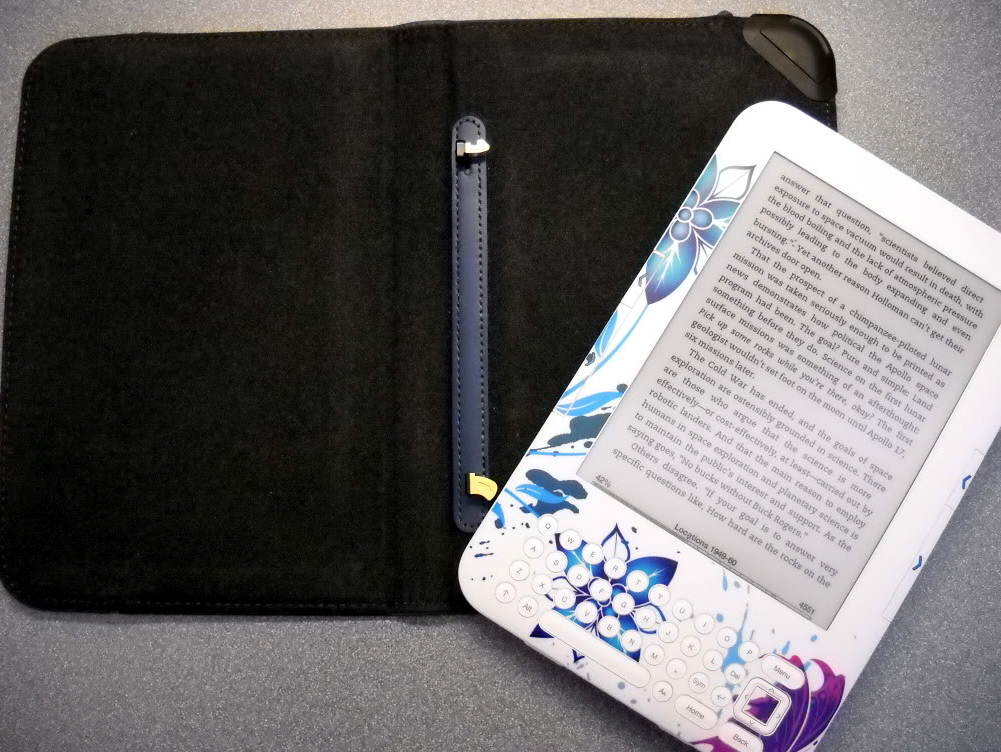
I also own the Kindle Lighted Leather Cover in Steel Blue. I ordered the lighted cover to arrive with my Kindle keyboard in August 2010. I then used this cover exclusively until my purchase of the flip case eight months later.

The design of the lighted cover, which draws its power from the Kindle battery, delighted this gadget-loving geek. When not in use, the light is virtually invisible as it retracts into the top, right corner of the cover. This case is substantial and, though slightly heavier than the flip case, it doesn't seem overly weighty.

Hooking the Kindle into the hinges.
Aesthetically, the lighted cover is pleasing, though not as attractive and tactile as the flip case. The textured leather makes for a good grip but also has a rougher hand feel. My color choice—steel blue—is a muted grey-blue shade that isn't quite navy but tends that direction, giving it a very business-like appearance. I would have preferred a shade with more pop. The strap securing mechanism has a tab, adorned with the AmazonKindle logo, that makes it easy to grasp for fastening and unfastening. So far, it also seems very durable. The surface of mine has only one very minor scratch in the lower-left corner. The interior is lined with a felt-like matieral in dark grey. A lighter color would coordinate better with my white Kindle, but the material is soft and nice to touch when reading with the cover folded back on itself. My mom has the graphite kindle and the black version of this lighted case, and that combination blends nicely.

With light extended
Attaching my Kindle to the case is done via a hook and swing maneuver. It's very straight-forward once you get the hang of it, though it could be confusing at first. I love the hinged mounting system for its invisibility; it doesn't obscure or restrict the front of the Kindle in any way. Pulling power for the light from the Kindle itself is sheer genius. That means no extra device to charge or batteries to replace. Power drain from the Kindle does not impact performance, though you'll have to charge your Kindle more often than the usual (every few weeks) with frequent use of the light.

Extending the light is done by grasping the corner and pulling. This motion was initially slightly almost problematically stiff, but it loosened up after a couple of weeks of use. The light turns on automatically when extended and off when retracted or if your Kindle goes to sleep. Light projection is even and bright enough for easy reading in a darkened room. It is too bright for Hubby if he tries to go to sleep while I read. I work around this by strategically shielding the bulk of the light with my body, but it does limit my positional comfort.

Though the stand feature and improved appearance of the flip case lured me away from the lighted cover, the latter is still my go-to if I think that I will be in a situation where I will need a light for reading. If you like to read in the dark, I recommend the newer versions of my lighted case, available on Amazon for various Kindle devices. The lighted cover certainly can not be beat for its gadgety goodness.

All in all, I am happy with both covers for different reasons. If they could combine the features of both, I would have the perfect cover. Until then, I will continue to switch between covers as needed.

What is your favorite Kindle cover and why? Please post your recommendations in the comments section below.

Friday, February 3, 2012

An overview of accessories for my Kindle Fire and Kindle Keyboard

I have touched on the topic of Kindle Fire accessories and my search for a functional combination. I'm quite pleased with my current set-up. It allows me to have both of my Kindles handy while making the most out of the features of each. This blog is just to give you an overview. I'll be back with more details at a later date.
At right is my collection. Listed from back to front:

All of these travel nicely in the STM Bag, which I often wear cross-body in lieu of a purse. I can also squeeze my driver's license, cards/cash, and iPhone into the bag. I'm not making any fashion statements, but it isn't hideous and it lets me keep my devices at my fingertips. The bag would be perfect if it also fit my camera, but that's too much too hope for. Take a look a the top-view photo, with devices stowed, and you'll see why my super zoom (almost as big as a SLR) isn't going to fit.  

Why skins when I have perfectly good cases? I like to slide my Kindles from their covers and use them bare. The skins protect my Kindles and add a touch of attractive personalization.

My Kindle Keyboard case has a built-in stand, so the portable stand is for my Kindle Fire; it allows me to display the Fire vertically or horizontally, depending on the kind of content I'm viewing.

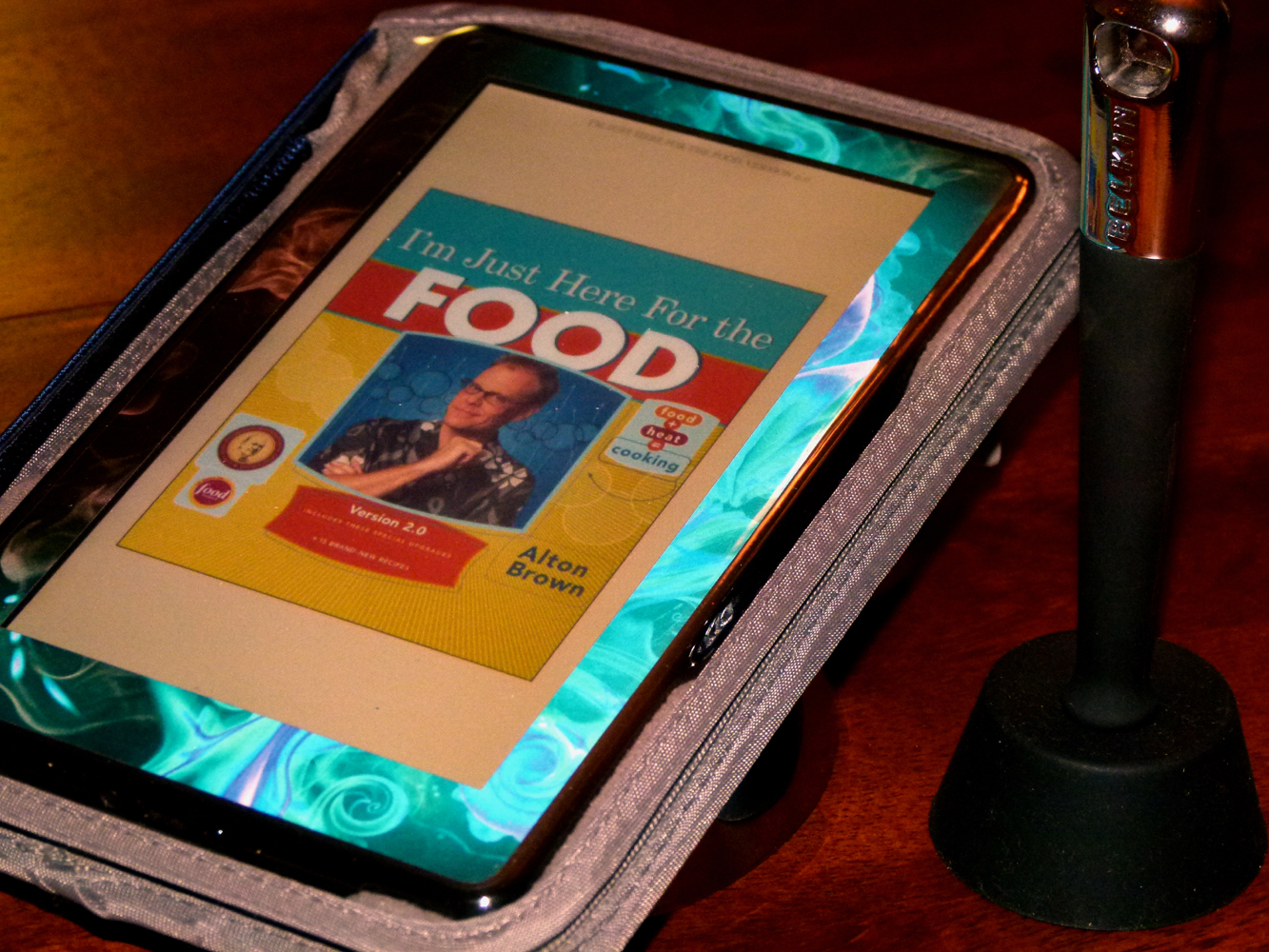
I also have a Belkin Kitchen Stand and Wand for Tablets for use while cooking/baking. Combine the stand and leasure jacket, and my Kindle Fire is nicely protected from smudges and splatters.

That's the high-level overview. Hopefully it gives you something to consider. I will be back to share my thoughts on each item in more depth.

What, you're still here? Go enjoy the weekend! I certainly intend to. It is going to be a good weekend of fun activities with my guys, and maybe even a bit of time to enjoy my Kindles. I also started a photography class last Tuesday, so photos will be the order of every day. I have a photo-a-day project to build.

What are your fun plans for the weekend? No, I don't need to hear about the housework. It's a necessary evil that, I assure you, lurks for all.

Happy weekend!

Thursday, December 8, 2011

Searching for Kindle Fire accessories: New covers released by JAVOedge

As I mentioned in my Kindle Fire first impressions blog, I'm hunting for the perfect cover. Hopefully the search will soon be over. My beautiful teal Kindle Keyboard cover will shortly be match by a version for the Kindle Fire.

JAVOedge just announced that they are taking pre-orders for Fire covers. The flip style is what I have for my Kindle Keyboard, but I may wait until the book style is available for my next purchase. Most of the time I like to prop up my Fire resting horizontally.

I have the AYL Frameless case, which I managed to snag for about $8, but I'm still looking. Despite the ingenious stand that allows both horizontal and vertical viewing, this just isn't the optimum case for me. My problem is the attachment system. The silicone adhesion method holds securely, but it does not allow me to easily remove and re-attach my Fire. This is a problem because I prefer using the naked device while at home.

My JAVOedge Kindle Keyboard cover is a nice combination of protection without added weight, aesthetics (love the teal), and functionality. I'm hoping that I can find all of that in the new JAVOedge offerings for the Kindle Fire. I'm certainly going to give it a try.

Now if only someone would come out with an orange cover with a stand; the color seems appropriate for a tablet named Fire, and it would go so nicely with the DecalGirl Flower of Fire skin on my wish list.

Update 12/9/11
DecalGirl gave me something new for my wish list. They color-adjusted the Flower of Fire pattern to my preference. The resulting shades of teal and blue are very pretty, and I like the unique twist. A company representative replied to my question quickly and was very helpful with the customization, so consider that option if you love everything about one of their designs, except the color. I own several of their skins and my experience with them has always been positive.

Wednesday, November 16, 2011

Playing with Fire: Kindle Fire first impressions

I always did like playing with fire…. Now I have a whole new reason. My Kindle Fire arrived yesterday afternoon. I have only used it for a few hours, but so far it has been a whole lot of fun.

It's heeere!
(Pardon the cheesy iPhone snap.)
The Fire is a Kindle in name only, and I hope that prefacing the name with the word Kindle doesn’t confuse too many people. The Fire is not an e-reader. Yes, it can be used as such, but the experience of that aspect in no way lives up to the experience on an e-ink Kindle. Reading is workable for shorter time periods. I set the display to sepia, which helps, but I'm still mostly using the Fire for cookbooks and children’s books, where it’s a treat to see color pictures. I’ll leave the bulk of my reading for my Kindle Keyboard.

The form factor is nicely compact and simple—perhaps too simple, because I really miss having physical buttons for home and volume. On the plus side, I felt no strain from holding my Fire for extended periods.

This is my first Internet-capable device in quite a while without 3G, so I really feel the restriction. I hope future offerings include a 3G option. Meanwhile, I’m working on planning ahead a bit more. Part of my Fire playtime last night was devoted to downloading an eclectic collection of books, music, apps, and shows from the Amazon Cloud. The Cloud-focused device should at least help me keep my Fire tidy and uncluttered with unused files. On the negative side, the Fire’s performance was sluggish during media downloads.

The screen is very sensitive. At first it took a bit of adjustment to learn where to tap for certain things, such as pulling up a book from the carousel. The item would often scroll and snap back. After a couple of hours, I mostly get it right on the first go. Typing is requiring a similar adjustment. The space bar placement catches me out because it's slightly offset to the left. It’s one of those typing quirks that I never realized until now; I almost always hit the space bar with my right thumb.

I had a lot of fun exploring everything from books to video. I set up my email without any more trouble than it took to remember my password. My Words with Friends app took up where I left off on my iPhone—nice! Videos via Netflix and Amazon loaded well. I watched a bit of a few different movies and shows and later settled in for an entire episode. There was a slight pixilation a couple of times during the show, but mostly it looked great. The sound is definitely better with headphones.

Audio books work well. I was able to access my Audible account and download a book (The Family That Couldn't Sleep: A Medical Mystery) that my hubby and I started listening to on the way to work this morning. Songs from the Amazon Cloud were there at a tap of the finger; I downloaded about 40 to my Fire. I purchased a couple of trial magazine subscriptions and was happy to see all the pictures available (National Geographic Magazine and Bon Appetit). I haven’t used the web browser much yet, but the couple of pages I looked at loaded quickly.

I still have a lot of exploring to do, but I would say that the Fire is a great first-generation device. Yes, there is room for improvement, but that will happen quickly. Meanwhile, those of us who are early adopters get a head start on the fun.

Deciding on the right case for my Kindle Fire is proving to be the hard part. (My Teal JAVOedge MiMo Flip Case for Amazon Kindle Keyboard is fabulous, so I hope that they come out with something for the Fire.) At the top of my wishlist is some kind of stand to prop up my Fire for hands-free use, and it would be even better if the stand could do both landscape and portrait. The stand could be integrated into the case, but it doesn't have to be. I also need the case/cover/skin to be protective (toddler in the house) and I would like it to be attractive. Bonus points if it's a fun color. If you have recommendations, please post them in the comments secton below.

Tuesday, November 8, 2011

Is Amazon's Kindle Owner's Lending Library a good thing?

In my last blog, I mentioned downloading a book from the Amazon Kindle Owner's Lending Library. This is a new feature offered to Amazon Prime members. Until today, I only knew how to access the Lending Library via my Kindle, but you can use the links above to reach the web version.

How does it work? Members of the Amazon Prime program who own a Kindle device can borrow up to one book per month from a select set of titles (currently 5,375). One book a month doesn't sound like much, particularly as someone who used to walk out of the library with a stack of six to eight books, but even my limited browsing of the available titles has shown a few that would have saved me (or those on my account) the purchase price.

This new option will let me try titles that I might not have purchased otherwise. My first borrow, The Nighttime Novelist, would have cost $10.79 as a Kindle edition. I tend to stick with ebooks that cost about the same as a paperback, if not less, so that's a price I'm usually not willing to pay.

The Amazon Kindle Owner's Lending Library has not been greeted with much love by the press. (Here's a example in the Wall Street Journal: "Amazon's Library Donation.") People are saying that it’s bad for investors, publishers, authors, agents, and Amazon. Predictions say that it will die by the end of the year.

Personally, I think that Amazon knows what it's doing. In the years (more than a dozen) that Amazon has been earning my loyalty, I have seen the company go from a small book seller to giant purveyor of nearly everything imaginable. They even make and sell their own line of reading devices, which now includes a multi-media platform in the Kindle Fire. As a bibliophile and writer, I can well imagine the excitement of personally making your dream device a reality.

As an author, I am glad that Amazon continues to return to its roots as a seller of books. I never considered indiependent publishing until I realized the opportunities given by book-lovers who are reading on their Kindles every day. Once I found an editor who could help me achieve the clean copy that is so important, I was sold. I would be glad to see Dormant gain additional exposure via Amazon's Lending Library.

Instead of going into more detail on the subject of the Kindle Owner's Lending Library and why it is a good thing, I'll leave you with this question.... What do you think? Is Amazon's continued expansion as a purveyor of electronic offerings good for you as a customer? What about those in other roles? If you wear more than one hat in the debate, please share!

For those who want more detail, I refer you to a fellow blogger who has one of the best in-depth discussions on the topic that I have seen thus far: Amazon’s Prime Lending Library has them in a tizzy…but it makes sense.

Friday, November 4, 2011

Does a Kindle get heavier when you add a book?

Since the arrival of my first Kindle in June 2008, I have reveled in how light and compact it is. Carrying around hundreds of books now weighs less than one of the books that used to accompany me everywhere. 

This week, I have been following a discussion on the Kindle weight debate, posted on a Discovery channel forum. Does my Kindle actually weigh more with my books loaded onto it than it did the day I removed it from its packaging?

When I download a book to my Kindle, the device is carrying more electrons than before. That means that, theoretically, my Kindle does get heavier as I add more information in the form of e-books. That said, the mass of an electron is quite negligable, though on a particle physics level this extra mass may be noteworthy and therefore calculable. However, the difference in weight would be so tiny as to not be measurable.

In other words, I didn't feel any difference in the weight of my Kindle after I added my newest e-book—The Nighttime Novelist, a writing-related read on loan via Amazon's new Kindle Owner's Lending Library.

Wednesday, September 28, 2011

Amazon announces Kindle Fire and Kindle Touch

    Amazon just announced its new tablet, the Kindle Fire, along with two Kindle Touch models (one 3G and one WiFi only), which will be available with the re-designed original kindle. Further details and pictures are available in the Amazon Kindle Store.

I just ordered my Kindle Fire, Full Color 7" Multi-touch Display, Wi-Fi! It will arrive on November 16.


Links to the new Kindle and Kindle Touch models:

Note: All come in versions with and without "Special Offers," which are basically sponsored advertisements. Apparently these advertisements sometimes contain goodies, like free Kindle books.

Tuesday, September 27, 2011

Amazon Kindle Tablet will be announced tomorrow!

On your marks, get set....

Amazon invited press to a media event tomorrow. They did not give any details, but I (along with everyone else) expect that they will use the event to reveal the new Kindle Tablet. I'm waiting to click the big, yellow order button. I will take a packing break, or three, to check in on the details. (Hubby promised not to cancel the internet until then, on pain of....)

That's it. Time to get back to packing. If you want more information on the device, you can read my previous post on the Amazon Kindle Tablet.

Friday, September 9, 2011

Amazon will soon release a Kindle Tablet

Rumors about a new Amazon Kindle device have been flying for several months. Now "Amazon's Kindle Tablet is very real. I've seen it, Played with it," according to MG at TechCrunch. My first reaction? Ooh, shiny! I love gadgets.

Here are the highlights:
  • Color tablet
  • Android
  • 7 inch screen
  • Two-finger multi-touch
  • WiFi
  • Kindle app book reader
  • Kindle Cloud music player
  • Instant Video movie player
  • Amazon's Android Appstore
  • Possible free subscription to Amazon Prime
The new Kindle Tablet is expected to sell for $250, and Amazon is purportedly working with carriers toward a 3G version. The latter would be a huge selling point for me; I love the integrated 3G on my Kindle.

The initial inclination is to compare the Kindle Tablet to the iPad, but it isn't. Rather than taking on Apple on their own turf, Amazon is actually designing their device to fit into the e-reader market that they already dominate. They are keeping the tablet small and comfortable to read. The smaller form factor also means that it will be cheap, about half the price of the cheapest iPad. Amazon is also moving away from the direction taken by most other Android tablets. Instead of trying to do everything, the Kindle Tablet is keeping it simple by putting the focus on books, movies, and other media.

I would never give up my Kindle ereader. The E-Ink screen simply can not be beat if you do a lot of reading, and I'm an avid reader, at least as much as I can fit in between my numerous other roles. However, I am eagerly anticipating the release of an Kindle Tablet. I envision my Kindle coexisting beside the new device, with each having its own purpose.

Based on the substantial rumors circulating the Internet, I expect to see an Amazon announcement about their new Kindle Tablet in the next two to three months. I have never regretted coming in on the ground floor with the launch of the original Kindle in 2008. Despite the marked improvements and drastically lowered price point of four successive Kindle generations, I have enjoyed many happy hours reading on each of my Kindles. The Kindle is the ultimate device for someone, like me, who is passionate about reading and writing. I envision the Kindle Tablet as an expansion into other types of media.

Contrary to many who are looking for an all-in-one device, I look forward to the day when I can replace the functions of my smart phone with my third or fourth generation Kindle Tablet. Devices like my Kindle, Roku, and iPod have taught me that a device dedicate to a certain function is often superior to one trying to be a jack-of-all-trades.

Monday, July 18, 2011

Can ebooks save children's backs?

Since the launch of ebook readers, there has been much discussion on their viability as textbook replacements. Today I read about Winn Sams, a chiropractor in Columbus, North Carolina, who has even contacted her state legislator about replacing textbooks with ebooks. She lifted one of her daughter's backpacks and was shocked at how heavy it was. Sams said, "When I initially called, he didn’t say much. Then, a couple of years later, he called me back and the movement started blossoming from there.”
Despite the growing interest in incorporating digital technology in schools, few are paying enough attention to the immediate health implications of heavy backpacks, Sams said. “Some kids are carrying twice their bodyweight. Their spines are still developing and these heavy backpacks are setting the way for spine issues,” she said. “Posture has radically changed, as well as the way kids walk. They have to plod their feet when lugging around a heavy backpack. ~ The OH&S Wire
Debate still rages over whether heavy backpacks cause permanant damage to kids' backs. MRI scans of eight children showed compression of disks and spinal curvature caused by typical school backpack loads, but eight is a very small sample. Sources that I would consider reuptable (such as the American Academy of Orthopaedic Surgeons) say that, while heavy backpacks can cause posture problems, they do not cause scoliosis or long-term damage to the spine.

Yes, ebook technology has come a long way in recent years, and sales have skyrocketed. According to Amazon, ebooks have been outselling paper books (paperback and hardback) since May. Barnes and Noble's CEO said that the company sells three times as many digital books as physical books on its website.

Despite the popularity of ebooks, early pilots resulted in rejection of the Kindle DX as a textbook. Though 90 percent of students liked the Kindle for pleasure reading, 80 percent would not recommend it as a classroom aid. (Here's an interesting article where students weigh in with their opinions.) Among the reasons cited for rejecting the Kindle as a textbook were the inability to easily highlight and write notes and lack of color charts and graphics. Early results also included lack of accessability to visually impared students. Subsequent Kindle generations did address this by adding text-to-speech capabilities. Unfortunately, this came under fire by the publishing industry.

I well remember the challange of lugging heavy textbooks and/or deciding which ones I could leave at home or in my locker for all or some of the day. As someone who regularly highlights and writes notes in her Kindle, I appreciate the advantages of being able to pull the file containing those notations. However, I tend to agree with this article: Could the Kindle Replace College Textbooks? The technology needs to be improved, but we will be there before we know it.

Do you think ebook readers, such as the Kindle, have a future as textbook replacements?